

Web visualization
Light Web Viewer Component
Embed interactive 3D CAD visualization into web applications, engineering portals and product catalogs with the Light Web Viewer component.

On this page
An engineering viewer inside your web application
Light Web Viewer combines 3D navigation with tools for inspecting CAD-derived models. Users can measure, annotate, section a model, explore its assembly tree and isolate individual parts in a browser.
The viewer runs with WebGL 2.0. A TypeScript API provides scene scripting, and NPM packaging supports integration into a web application. The viewer itself does not require a backend server; model preparation and access to application data can be arranged separately.
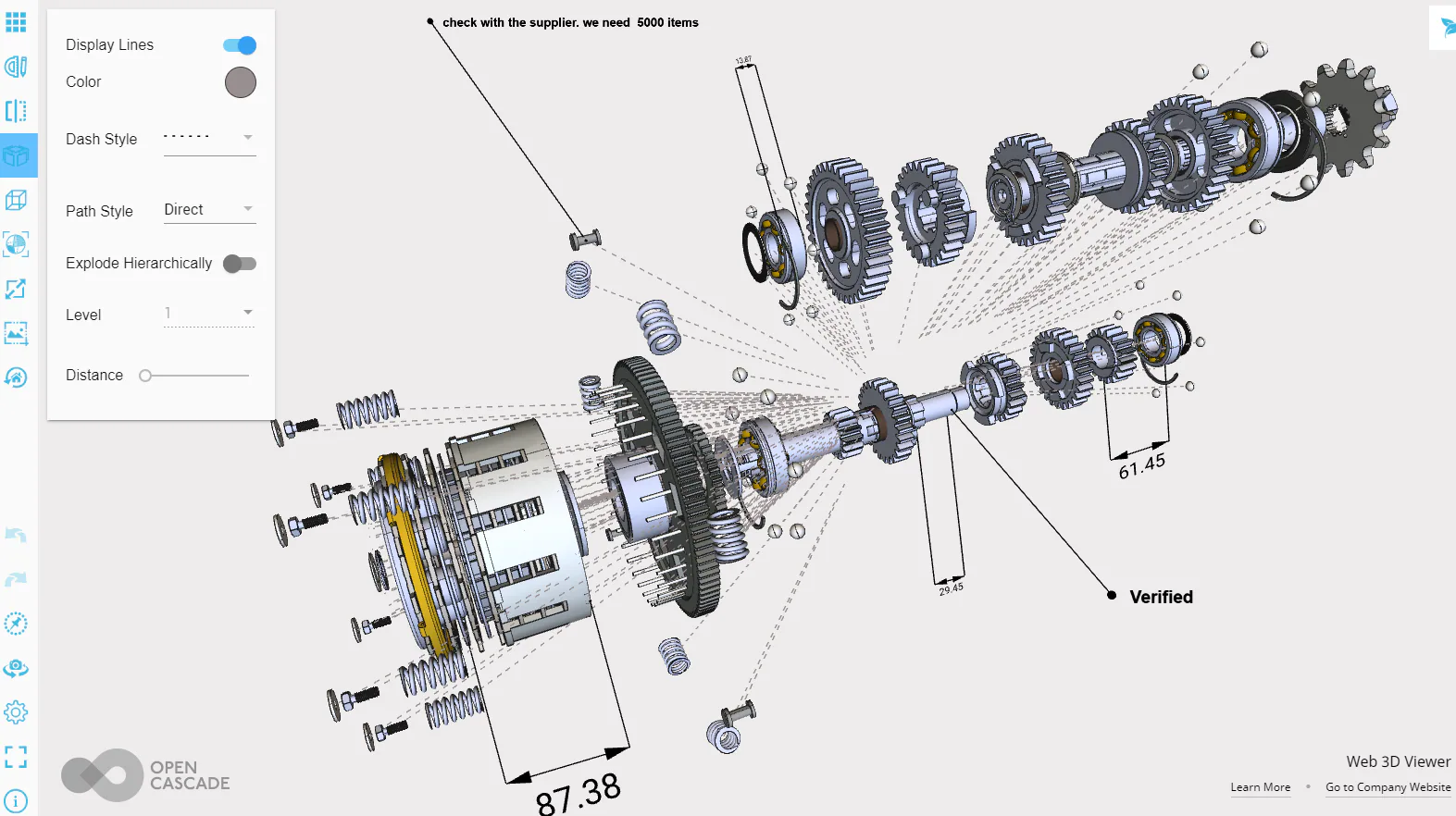
Keep the model and assembly tree connected
Selection is synchronized between the object browser and the 3D view. Combined with hide/show controls, fit-to-selection and exploded views, this helps users identify a component within a larger assembly and inspect it in context.
Clipping planes and capping expose internal geometry. Measurements and annotations support review tasks, while a manipulator lets the application move or rotate selected elements. Snapshots provide a way to capture a view for subsequent communication.
Control presentation and loading
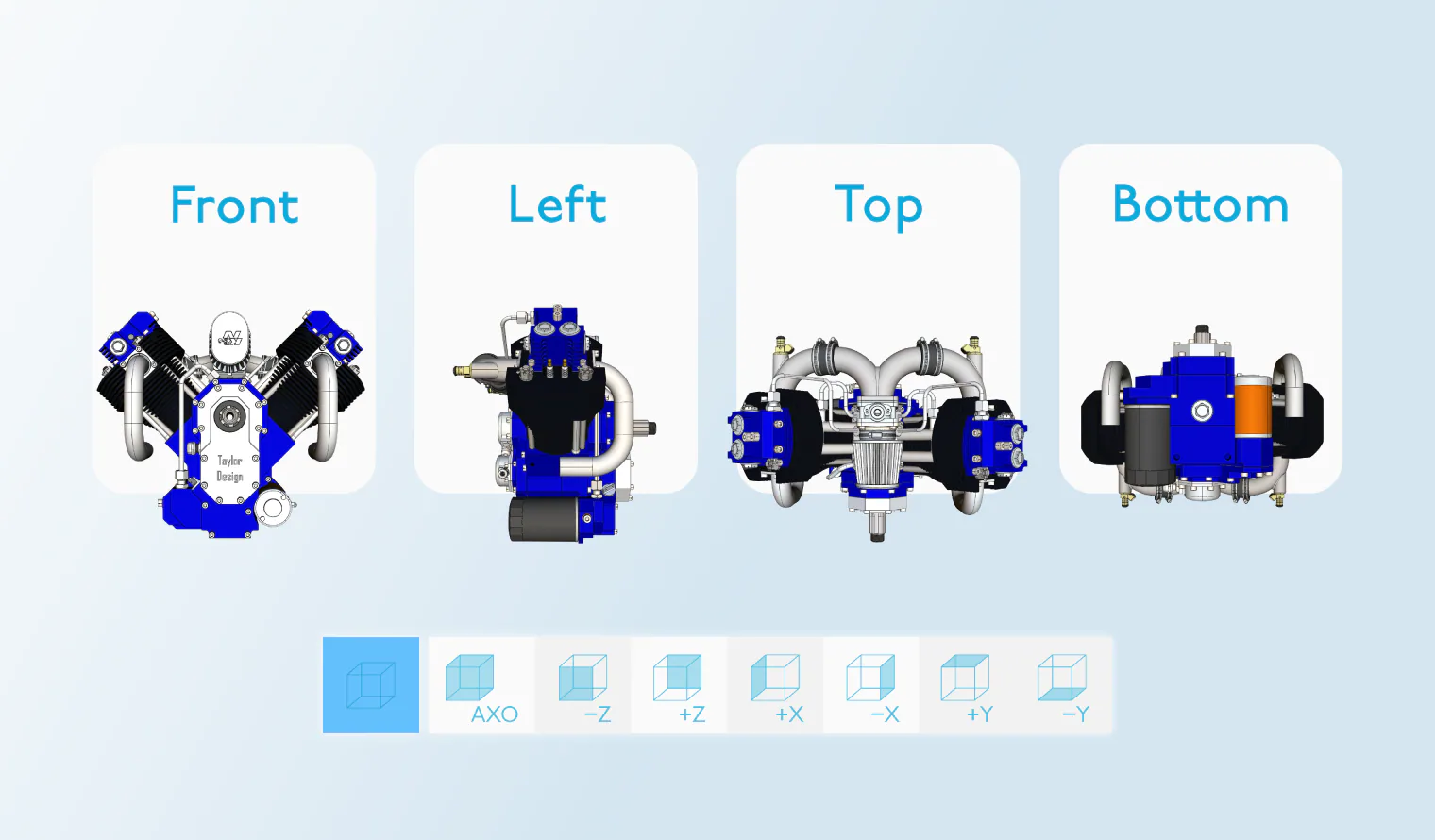
Navigation supports mouse and touchscreen interaction, an orientation cube and standard views. Camera settings include perspective and orthographic projection. Display controls include transparency, shadows, MSAA and resolution scaling; environment settings cover backgrounds, skyboxes, ground and lighting.
Draco compression can reduce model transfer size with a decoding cost. Evaluate transfer size, first display and interaction performance separately on the devices your users actually use.
Browser integration and device coverage
The viewer combines WebGL 2.0 rendering with a TypeScript scene-scripting API. Its NPM package can be incorporated into an existing web application or used as the basis for a standalone model viewer. The application supplies its own product information, access controls and workflow around the viewer.
The published browser families include Firefox, Chrome, Edge, Opera and Safari on desktop, together with Safari on iOS and Chromium- and Firefox-based browsers on Android. Check browser and GPU compatibility against the selected delivery; historical minimum version numbers are not a substitute for testing the devices used by the application.
Useful interaction checks include mouse and touch navigation, orientation-cube views, fit-all and fit-selected behavior, transparency, exploded assemblies, clipping caps and manipulator movement. Appearance controls also include skyboxes, a ground element and lightmaps, in addition to shadows, MSAA and resolution scaling.
Prepare the right input for the browser
The standard reader scope includes glTF, OBJ, STL and VRML. Additional native-format support is a separately licensed extension. A CAD-to-web pipeline therefore starts by deciding where source files are translated and how much model detail needs to reach the browser.
Use CAD exchange SDKs for source-format integration and Express Mesh for surface tessellation. Assimp Import covers additional mesh-asset inputs.
From a viewer to a product workflow
For a parts portal, link the selected scene item to its product information. For a design review, define the measurements, sections and annotations users need. For a configurator, establish how model state follows application choices. These connections belong to the host application and can be scoped through integration services.
Discuss viewer evaluation with sample models, required interactions and target browsers/devices.