Create and prepare
Model, repair, simplify, convert, and enrich engineering data before downstream use.


3D applications
Explore ready-to-use OCCT3D applications alongside the workflows, industry requirements, and project references that explain where the technology is used.
Browser application
Open supported CAD and mesh files locally in a dedicated WebAssembly viewer, without installing a desktop application.
Product lifecycle
Application requirements change with the people, source data, decisions, and deliverables involved. These stages provide a practical starting point.
Model, repair, simplify, convert, and enrich engineering data before downstream use.
Inspect assemblies, collaborate around 3D information, and prepare technical decisions.
Connect geometry with production preparation, metrology, quality, and automation.
Use technical content in maintenance, training, field work, and product services.
OCCT3D applications
Explore product information, screenshots, and selected resources for applications built around OCCT technology.
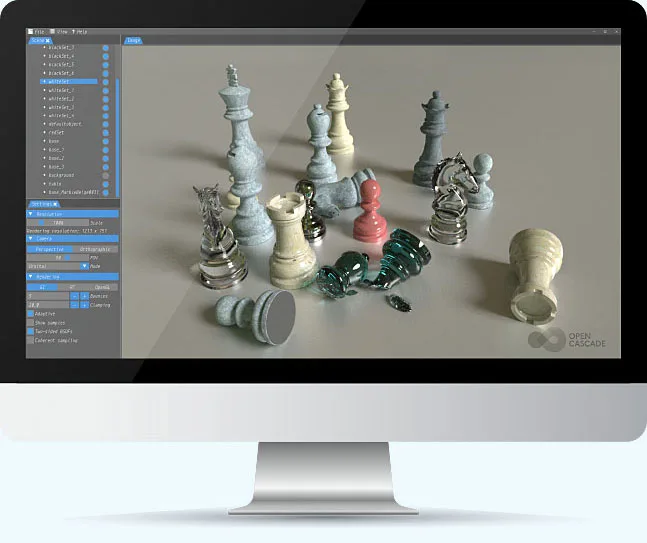
CADRays is a GPU-accelerated path-tracing application for interactive, physically based rendering of CAD and mesh models.
View application
CAD Processor prepares, repairs, simplifies, and inspects 3D reference data for visualization, simulation, manufacturing, and other downstream workflows.
View application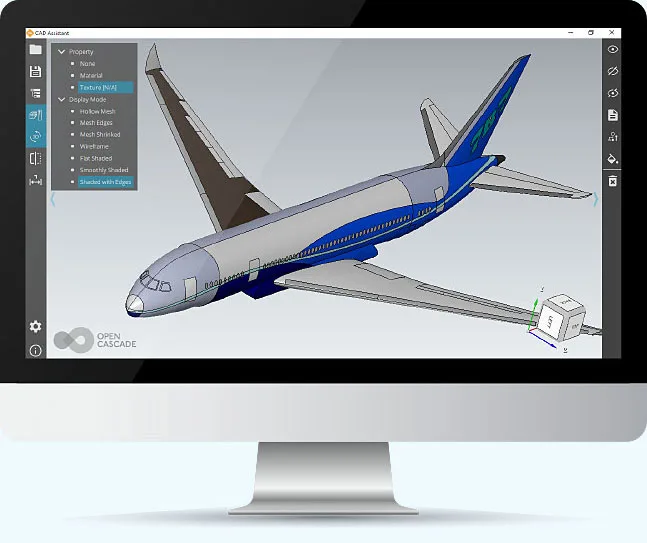
CAD Assistant is an offline CAD viewer and converter for STEP, IGES and mesh files. Download packages for Windows, macOS, Linux or Android.
View application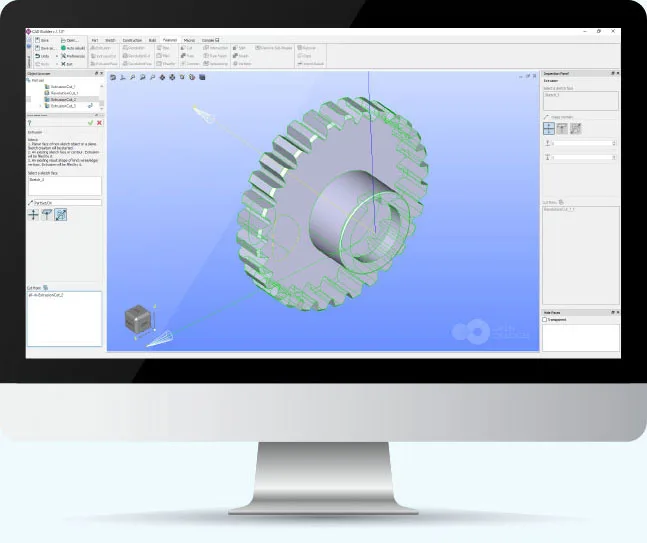
CAD Builder is a sample parametric modeling application derived from the SALOME SHAPER module and built with Open CASCADE Technology.
View applicationApplication discussion
Describe the users, source formats, current process, and required result. The contact page prepares an email draft and sends nothing until you choose to send it.